[Linux MINT 22.3]インストールではまった。メニューが出ない。
 admin
adminLinux MINT 22.3をインストールしようとした。マシンはかなり旧型のCore i5(三角パソコン)。sinamonをダウンロードしてインストール用DVDを作成した。DVDから起動してもMINTインストールのアイコンが表示されない。
Coppilotに聞いてみた。
【質問】古いパソコン(Core i5)にLinux MINT 22.3をインストールしようとしているが、立上がった画面にメニューがでない。どうして?
【回答】I'm not certain, but most likely Linux Mint’s display session isn’t starting because the GPU driver on that older Core i5 machine isn’t compatible with the default graphics mode. Open Settings → Display and switch the boot option to “nomodeset” during installation.
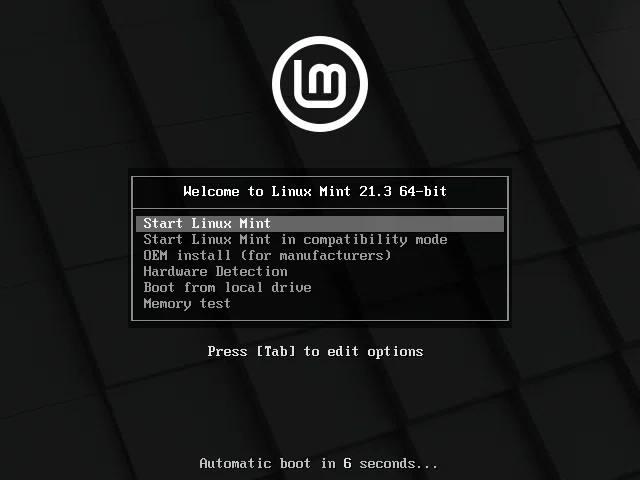
【対処方法】起動時の最初の画面で2行目のcompatibilityを選択すればOkです。
Follow me!